
Measure a part with one photo.
Print this A4 sheet, lay a flat part on it and take one photo from above. The black corner squares let us straighten the photo and measure the part from it.
Free to print and use.
Download the photo sheet (PDF, A4)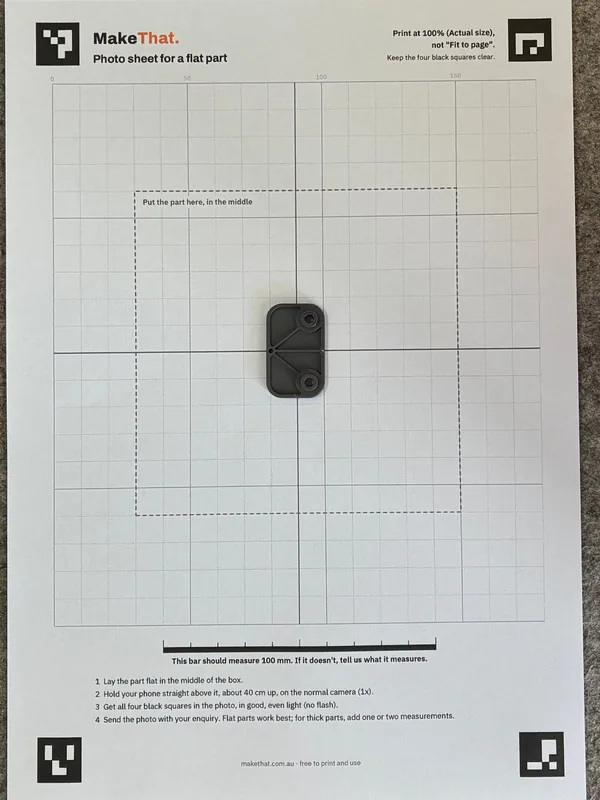
How to use it
Four steps.
Print it
Print at 100% (Actual size), not "Fit to page". Check the 100 mm bar with a ruler. If it's out, tell us what it measures.
Lay the part down
Flat, in the middle of the box. The centre lines help you line it up. Dark or coloured parts show best.
Take one photo
Phone straight above, about 40 cm up, on the normal camera (1x). Get all four black squares in the photo, in soft, even light: no flash, no strong shadows.
Send it
Add it to the form with a few words about the part. Mike replies within two business days.
Good to know
It works best for flat parts.
The sheet tells us the scale, so a good photo of a flat part is often all we need to draw it.
- Flat parts, like gaskets, plates, flat brackets and hole patterns: we can measure them straight from the photo.
- Thicker parts: the photo gives us the shape. Add one or two measurements, like the overall length and thickness.
- Parts that have to fit tightly: we may still ask for a measurement or two, or print the critical bit first for you to check.
- Your photo is only used for your enquiry and your part, like any photo you send us. Our privacy page has the detail.